ADHD-friendly focus, one step at a time
The task is big.
Your first step doesn’t have to be.
Pick something you’re avoiding. See how small a start can be.
Return to a recent task when you’re ready.
I need to…
A small first step
Open your document. Write one rough sentence.
Free examples. No account. No task sent to AI.
Personalized AI steps are available in the iOS app.
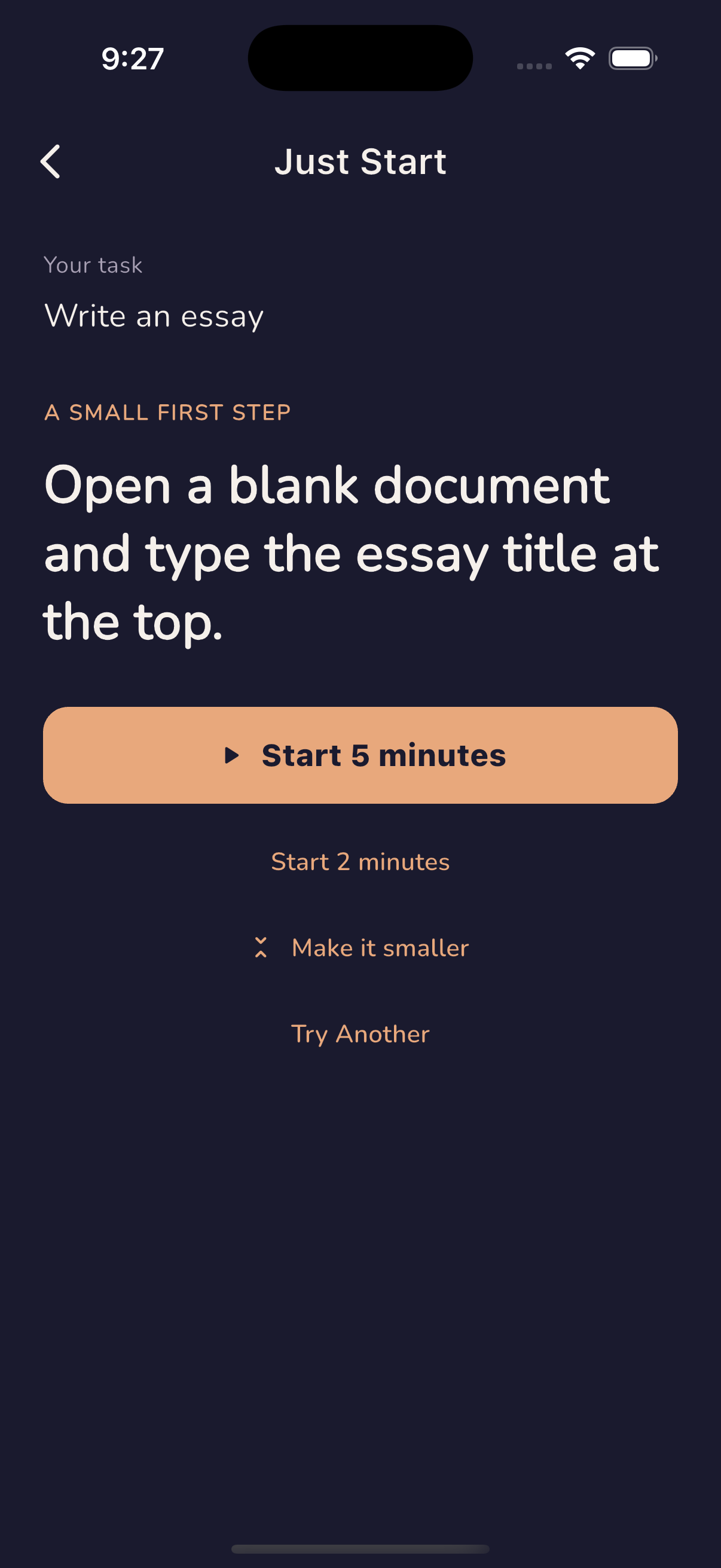
Only this step, for now
Open your document. Write one rough sentence.
Keep this feeling in your pocket.
Your own tasks. A smaller first step. A little time to begin.
Less setup. More starting.
You don’t need a whole plan.
01 / Name the task
What feels hard to start?
An essay. An overdue reply. A room that’s become too much. You don’t have to organize everything first.
02 / Make it smaller
Find one doable action.
The app’s AI suggests a concrete first step. Still too much? Ask for a smaller one, or write your own.
03 / Give it five minutes
Begin before you feel ready.
Take that step into a short timer. Pause when you need to. A start counts even when the whole task isn’t finished.
Support without the setup
For the moment between
“I should” and “I’m doing it.”
Just Start is an iOS focus app designed around task initiation and an easier return to recent work. Keep your attention on what’s next, with more support when you want it.
A first step that fits your task
Use AI to turn your own task into a small action. Suggestions can be imperfect; you’re always free to choose your own step.
A timer that meets you where you are
Start with two or five minutes. Longer presets, visual timers, and ambient sounds are there when they help.
A practical place to return
Come back to recent work or a routine without planning the whole task again.
Optional support while you work
Pro adds AI check-ins and more focus options. These are automated prompts, not a live person working beside you.
A useful place to begin
Start with the thing in front of you.
That blank document.
A practical way to start an essay when the first sentence feels impossible.
Find your first sentence →The email you keep avoiding.
Make a rough reply without needing the perfect explanation.
Start a small reply →A room that feels like too much.
Choose one object, one surface, and a short stopping point.
Find one thing to move →Start free. Add support if it helps.
Try the habit before the subscription.
Just Start
A small, repeatable way to begin.
- Up to 3 focus sessions a day
- Up to 3 AI task requests a day
- Core timer, 3 ambient sounds, and progress
- No account required to get started
Just Start Pro
Or $29.99 billed yearly.
- Unlimited focus sessions
- Expanded AI task support and check-ins
- All 10 ambient sounds and sound mixing
- More ways to understand your focus patterns
Existing lifetime purchases remain valid.
Prices shown are USD. Local prices, taxes, availability, and purchase terms are shown in the App Store. Subscriptions renew automatically unless canceled. AI needs internet access and is subject to service limits. The website examples and timer are free.
Before you begin
A few things
you might wonder.
Is this only for people with ADHD?
No. Anyone who finds it hard to begin a task can use Just Start. The app is designed to reduce setup and decision-making. It is a productivity tool, not a diagnosis or treatment for ADHD.
How is this different from a regular Pomodoro timer?
A timer asks you to work for a set period. Just Start also helps you decide what to do in that period: one concrete first step from your task, followed by a short focus session.
Are the examples above generated by AI?
No. These are written examples you can try without sharing any personal information. In the iOS app, AI can suggest steps for a task you enter yourself.
What happens to the task I type?
When you ask for AI help in the app, your task text is sent through our server to our AI provider. The timer itself doesn’t need AI. See our privacy policy for the details, including optional account sync.
Can I use it without a subscription?
Yes. The app includes a free allowance of three focus sessions and three AI task requests per day. Pro is optional. The timer and example steps on this website are free to use without a download.
Does it work offline?
The iOS timer, bundled sounds, and local progress work offline. AI features and optional account sync need an internet connection. This website’s timer runs in your browser after the page loads.